

Description
What’s in the Box & Basic Specs
-
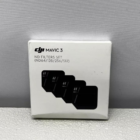
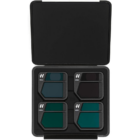
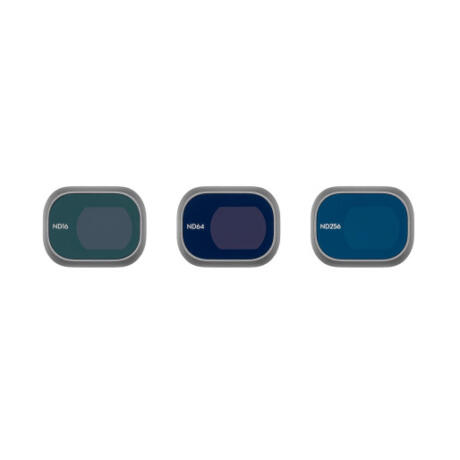
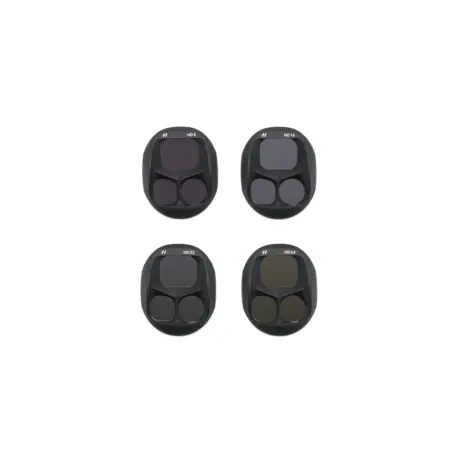
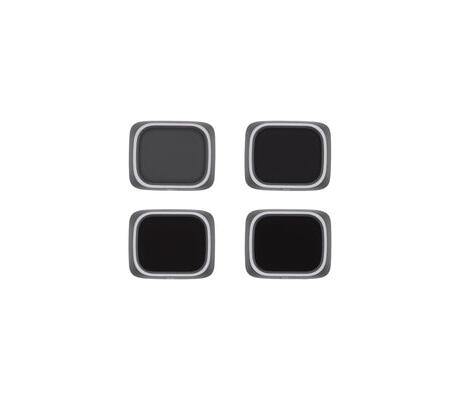
The kit includes four neutral density (ND) filters: ND64, ND128, ND256 and ND512. B&H Photo Video+2DJI STORE ONLINE+2
-
Each filter drastically reduces the amount of light entering the drone’s camera — by roughly 6 to 9 stops (depending on the filter). store.hp-drones.com+2B&H Photo Video+2
-
Physical specs (as per official listing): for wide‑angle lens the light‑transmission area is ~19.8 × 16.2 mm, for tele‑lens ~12.5 × 8.2 mm; each filter weighs about 2.3 g. store.hp-drones.com+1
-
The filters are designed specifically for the cameras on the DJI Mavic 3 (and compatible variants like Mavic 3 Cine). B&H Photo Video+2karkkainen.com+2
-
Attaching / removing the filters is via a snap‑joint (or twist‑on, depending on version) mechanism for a secure fit — stable enough for flight. B&H Photo Video+1
What Do ND Filters Do — And Why They Matter for Drone Work
In simple terms: ND filters are like “sunglasses for your camera lens.” They reduce the amount of light entering the sensor, giving you control over exposure and enabling creative effects. DJI Store+2Dronesdeli+2
Main benefits when using a set like this on a drone:
-
Better exposure control in bright light: On sunny days or high‑contrast landscapes (bright sky, reflective surfaces, snow, water, etc.), the camera sensor can quickly overexpose images. ND filters cut down light, letting you avoid blown‑out highlights and preserving detail in both bright and dark parts of the scene. Dronesdeli+2DJI Store+2
-
Enable cinematic motion blur / video “film‑like” look: For video (and also hyperlapse), you often want a shutter speed that matches a “180‑degree shutter rule” (roughly double the frame rate) so motion looks natural — not too choppy, not overly sharp. In bright daylight, without ND filters the camera would need a very fast shutter to avoid overexposure, which kills natural motion blur. The ND filters let you slow the shutter down while keeping exposure under control. B&H Photo Video+2Coolblue+2
-
Creative long‑exposure effects: Want smooth water in a river, silky clouds, light trails from traffic, or dreamy, motion‑blurred scenes at dawn/dusk or in daylight? Strong ND filters (like ND256 / ND512) let you stretch shutter speed for long‑exposure shots without overexposure. DJI Store+2ABJ Drone Academy+2
-
Maintain color accuracy and detail: High‑quality ND filters help retain true colors, preserve highlight and shadow detail, and avoid over‑bright skies or washed‑out scenes — important for aerial shots with high dynamic range. B&H Photo Video+2Influential Drones+2
When to Use Each Filter: ND64 / ND128 / ND256 / ND512 — Practical Use Cases
Because each filter reduces light by a different amount, you choose depending on lighting conditions and your creative goal:
-
ND64 (lightest of these) — good for moderately bright daylight when you want some exposure control but not dramatic long exposures. Use it to slightly slow shutter speeds for smoother video (especially if sun is not extremely intense).
-
ND128 — for brighter midday sun, harsher light or when you want more motion blur vs. crisp detail. Good for video where you want cinematic motion blur without too dark images.
-
ND256 — useful in strong daylight, especially for long‑exposure shots: flowing water, moving crowds, traffic trails, or landscape/video with motion blur.
-
ND512 (strongest) — perfect for very bright conditions, high-reflective surfaces (water, snow, glass), or when you want maximum creative control: long‑exposure stills, dramatic motion blur, silky water, cloud movement, or lowering shutter drastically for special cinematic effects.
This gradation gives you flexibility: depending on time of day, weather, and your intended shot (video vs still vs creative long exposure), you can pick appropriate density.
Why It Matters for You (Given You Use DJI Drones)
Since you already own several DJI drones (you mentioned you have the DJI Mini 4 Pro, and earlier drones including DJI Neo, DJI Avata, and Mavic‑series), this ND filter set can significantly improve your aerial output:
-
On sunny afternoons or high‑contrast landscape flights, this filter set helps avoid overexposure and washed‑out skies — delivering richer, balanced footage.
-
For cinematic videos (if you shoot 24/30 fps), using ND enables proper shutter speeds for natural motion blur and smoother, more “film-like” aerial video.
-
For creative stills — long exposures of rivers, clouds, urban traffic — the stronger filters give you photographic versatility beyond standard “point-and-shoot” drone captures.
-
Because the set is made for Mavic 3’s optical path and is lightweight/compact, it won’t unbalance or affect the stabilisation and flight dynamics — important for drones already carrying gimbals and cameras.
Some Considerations & Good Practices
-
ND filters are not always necessary — in low-light, cloudy or indoor-like conditions, they block too much light. Use them based on lighting and your goal.
-
Always watch shutter speed, ISO, and frame‑rate: ND filters give you the leeway to set these creatively; misuse (too dark, too slow, wrong ISO) may worsen image quality.
-
When changing filters mid‑flight or between shots, be careful to clean them — dust or fingerprints will degrade image quality.
-
For drone cinematography: correctly matching shutter speed to frame rate (e.g. ~1/(2×fps)) along with ND helps get the smoothest, most professional-looking motion blur.
Reviews
There are no reviews yet.